Free · Source Available · 100% Self-Hosted

The firearm inventory app that stays on your hardware.

Pew Pew Collection is a free, source-available firearm inventory and insurance documentation tool. Track every gun in your collection — make, model, serial, value, and disposition — on a server you own. No cloud. No account. No subscription. Your data never leaves your machine.

⚿ Zero Cloud Storage ✓ 100% Offline Capable ✓ Docker Ready ✓ Single SQLite File ✓ BUSL-1.1 · Source Available
GitHub star count Latest release version Date of last commit BUSL-1.1 license Docker image on GitHub Container Registry
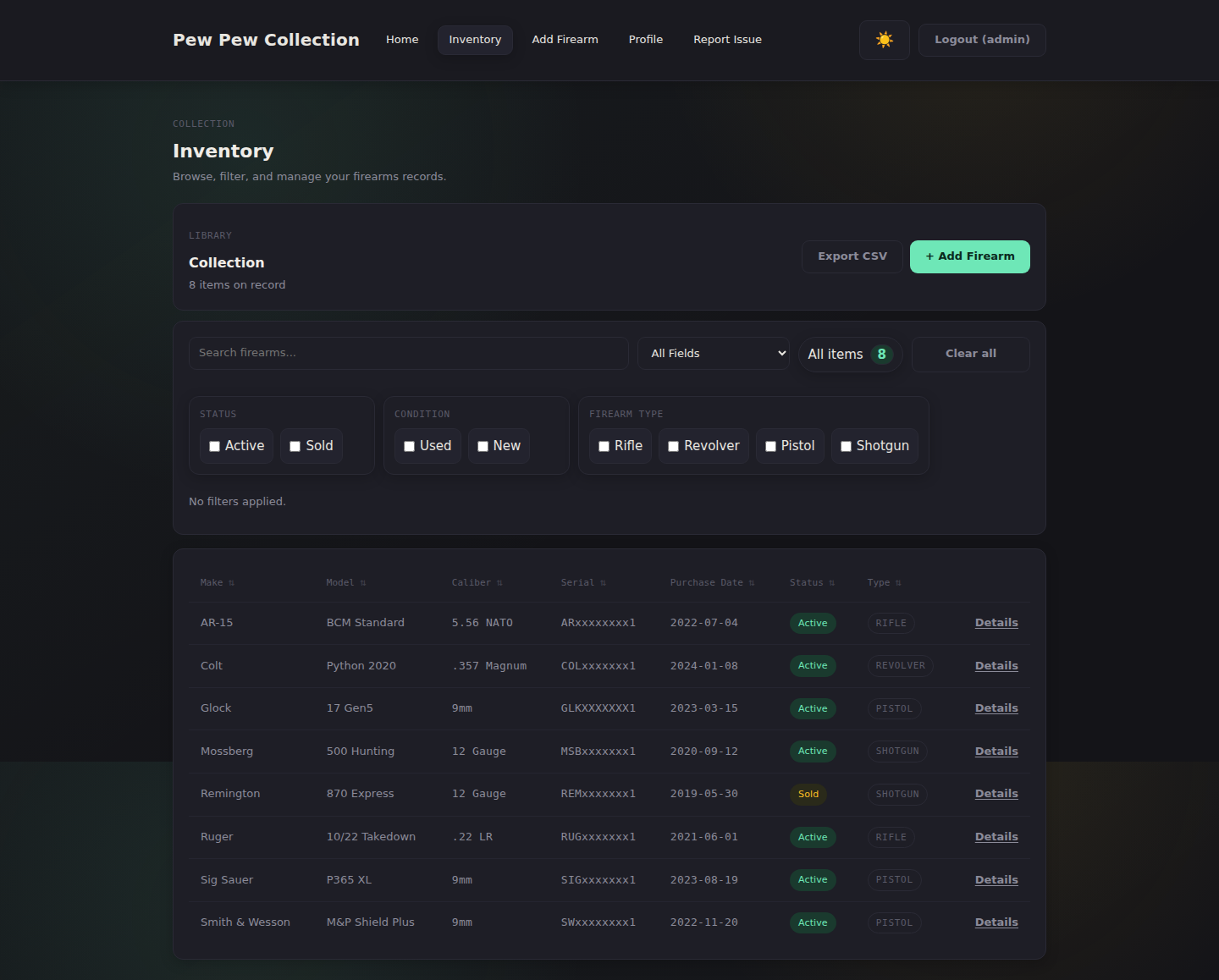
Pew Pew Collection firearm inventory list — searchable and sortable table of guns by make, model, caliber, and serial number

Private by design

Your data stays on your hardware. No cloud, no telemetry, no account required — your serial numbers never leave the machine you run it on.

Insurance-ready

Print-friendly inventory reports with serial numbers, condition, and total value — built for homeowners-insurance documentation.

Self-host in 60 seconds

One Docker command. SQLite under the hood. Backup is a cp command. Source-available under BUSL-1.1 — free for personal, self-hosted use.

0
Cloud Services Used
0
Accounts Required
1
Docker Command to Deploy
Firearms You Can Track
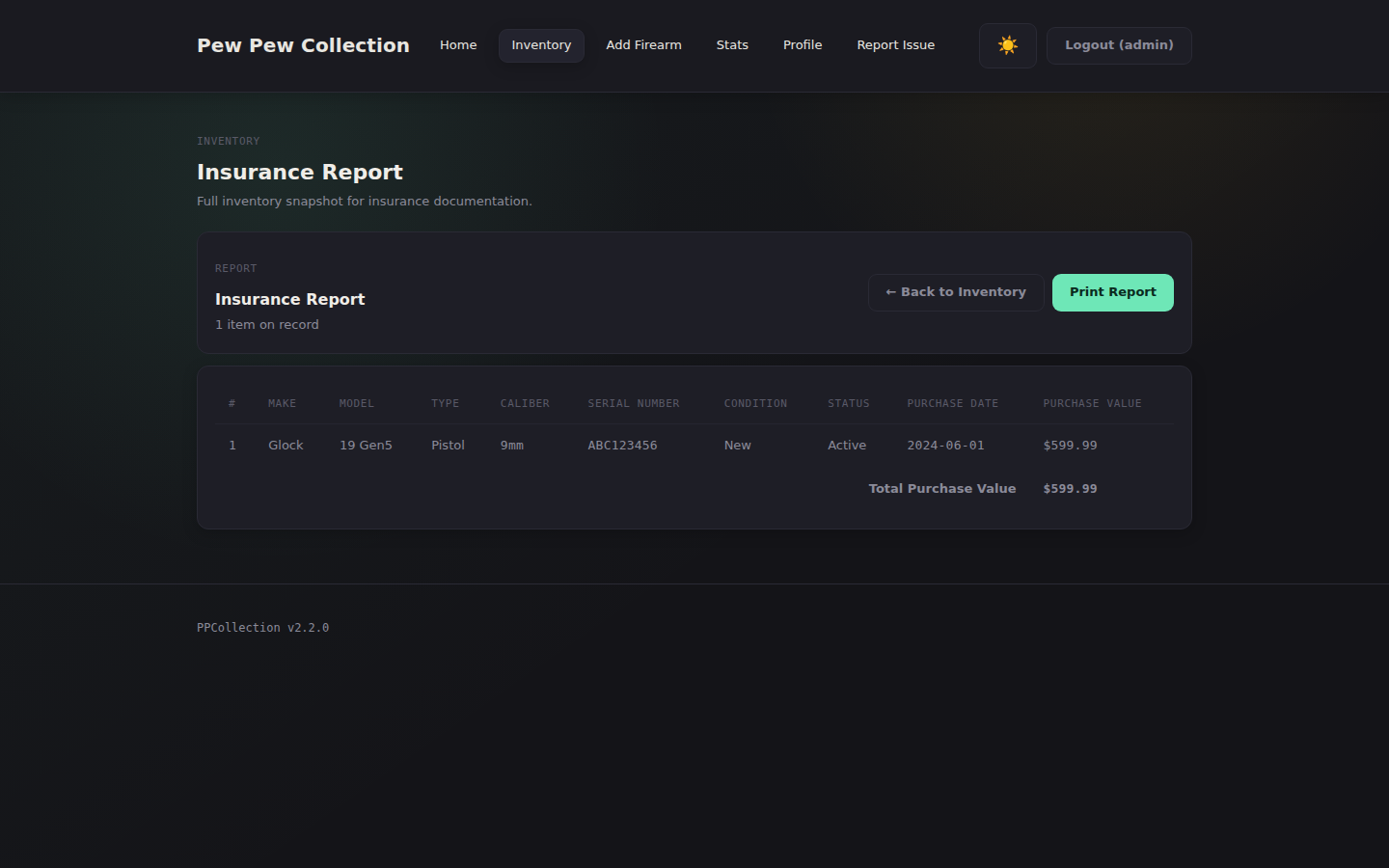
Pew Pew Collection insurance report — printable firearm inventory with total purchase value for homeowners insurance documentation

Insurance documentation

Document your guns
for insurance in minutes.

Many collectors start tracking their firearms because a homeowners insurer — or a theft — asked them to. Pew Pew Collection generates a print-ready firearm inventory your insurer will accept, and you can re-print it in 30 seconds whenever your collection changes.

  • Total purchase value across the whole collection
  • Per-firearm condition and acquisition details
  • Serial number of record for every firearm
  • Print-friendly layout, ready for PDF export
See sample report →

Capabilities

Everything you need.
Nothing you don't.

SECURE AUTH

Bcrypt hashed passwords, session-based auth, and a forced password change on first login. App refuses to start in production with default credentials.

INSURANCE REPORT

Generate a print-friendly insurance report with every firearm record and total purchase value, ready for PDF export — exactly what your homeowners insurer wants on file.

FULL CATALOGING

Track make, model, serial, caliber, firearm type, warranty, purchase details, storage location, and custom notes.

SEARCH & SORT

Powerful search across all fields. Click any column header to sort. Filter chips show an active state. The item count badge updates live as filters are applied. Inventory collapses into a card layout on mobile.

CSV EXPORT & IMPORT

Export your entire inventory with one click or bulk-import from a CSV file. Disposition fields (sold/lost/stolen) are included. Always your data.

FULLY OFFLINE

No internet connection ever required. No external services, no subscriptions, no telemetry. Just a local web server.

DOCKER READY

Pull the image from GHCR, spin it up with Compose, and you're running in under 60 seconds.

DARK MODE UI

A refined dark theme with a light mode toggle. Theme preference persists across sessions. The toggle announces its destination state via aria-label for screen readers.

CSRF PROTECTION

All forms are protected via the double-submit cookie pattern. Rate-limited login and password-change endpoints block brute-force attacks.

ACCESSIBLE BY DEFAULT

Skip-to-main landmark link, semantic <main> with focus management, and descriptive aria-label attributes on all interactive controls. Built for keyboard and screen-reader users.

REPORTS & ANALYTICS

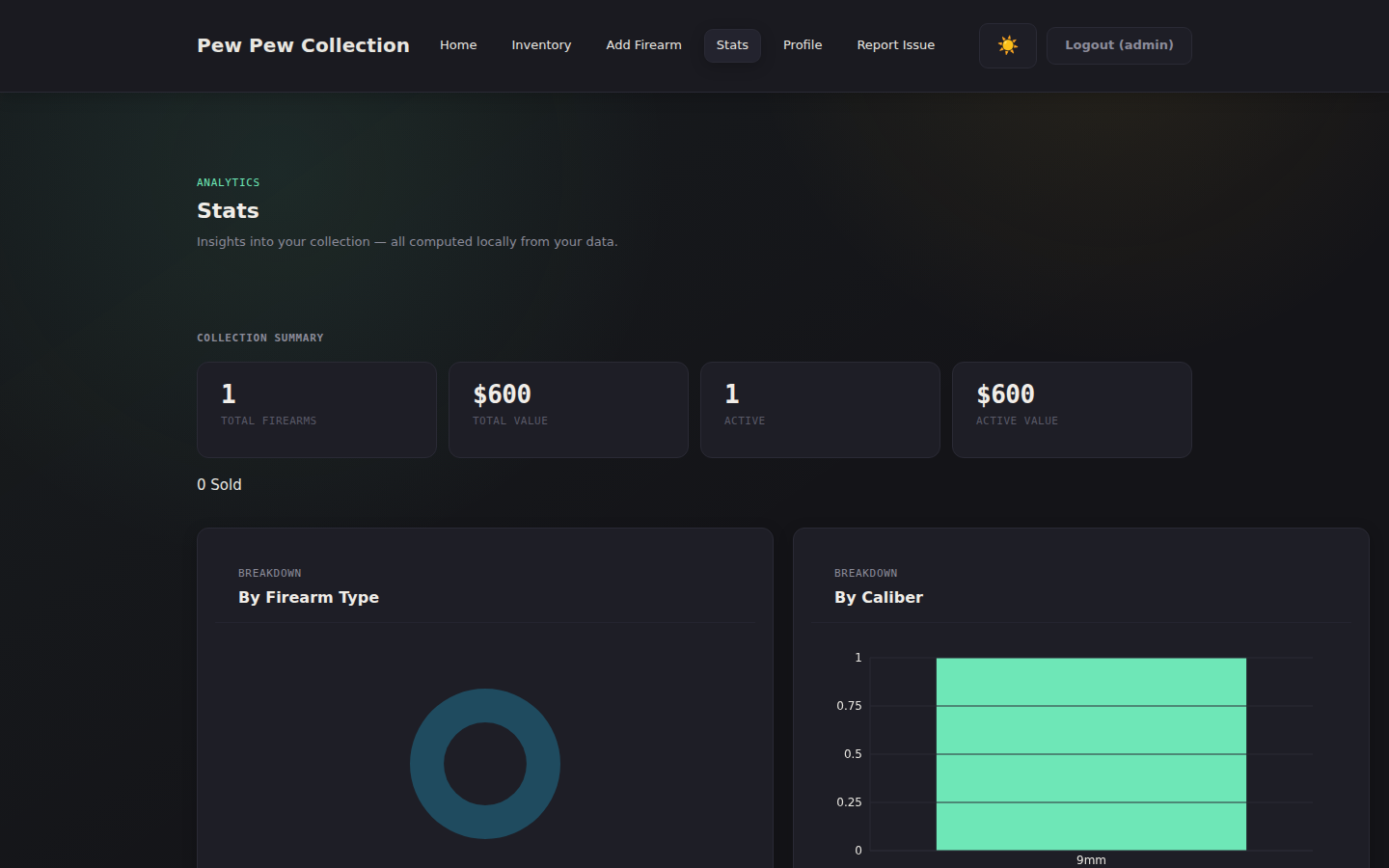
Dedicated analytics dashboard with collection summary, breakdown charts by type, caliber, make, and condition, acquisition trends, average price by year, and disposition statistics.

SQLITE STORAGE

All data in a single portable file. Backups are a one-line cp command. Simple, reliable, yours.

SERIAL UNIQUENESS

Database-enforced unique serial numbers prevent accidental duplicates. Validated during form entry and CSV import with clear inline error messages.

Built for

Whatever you're
keeping records for.

For collectors

Track make, model, serial, caliber, condition, and provenance for every firearm you own. Powerful search and filters keep a growing collection navigable, and dedicated analytics show what you actually own at a glance.

See the inventory & stats →

For insurance documentation

Generate a print-ready inventory report with total purchase value, serial numbers, and condition — exactly what your homeowners insurer wants on file. Update it as your collection changes and re-print in 30 seconds.

See the insurance report →

For estate planning & transfers

Disposition tracking records when a firearm was sold, gifted, or transferred — including to whom and when. Keep a clean chain-of-custody record for the lifetime of your collection, and pass it on with the rest of your records.

See disposition tracking →

In the field

Built for collectors.
Designed to disappear.

Pew Pew Collection firearm inventory list — searchable and sortable table of guns by make, model, caliber, and serial number → INVENTORY LIST — Searchable, sortable, exportable.
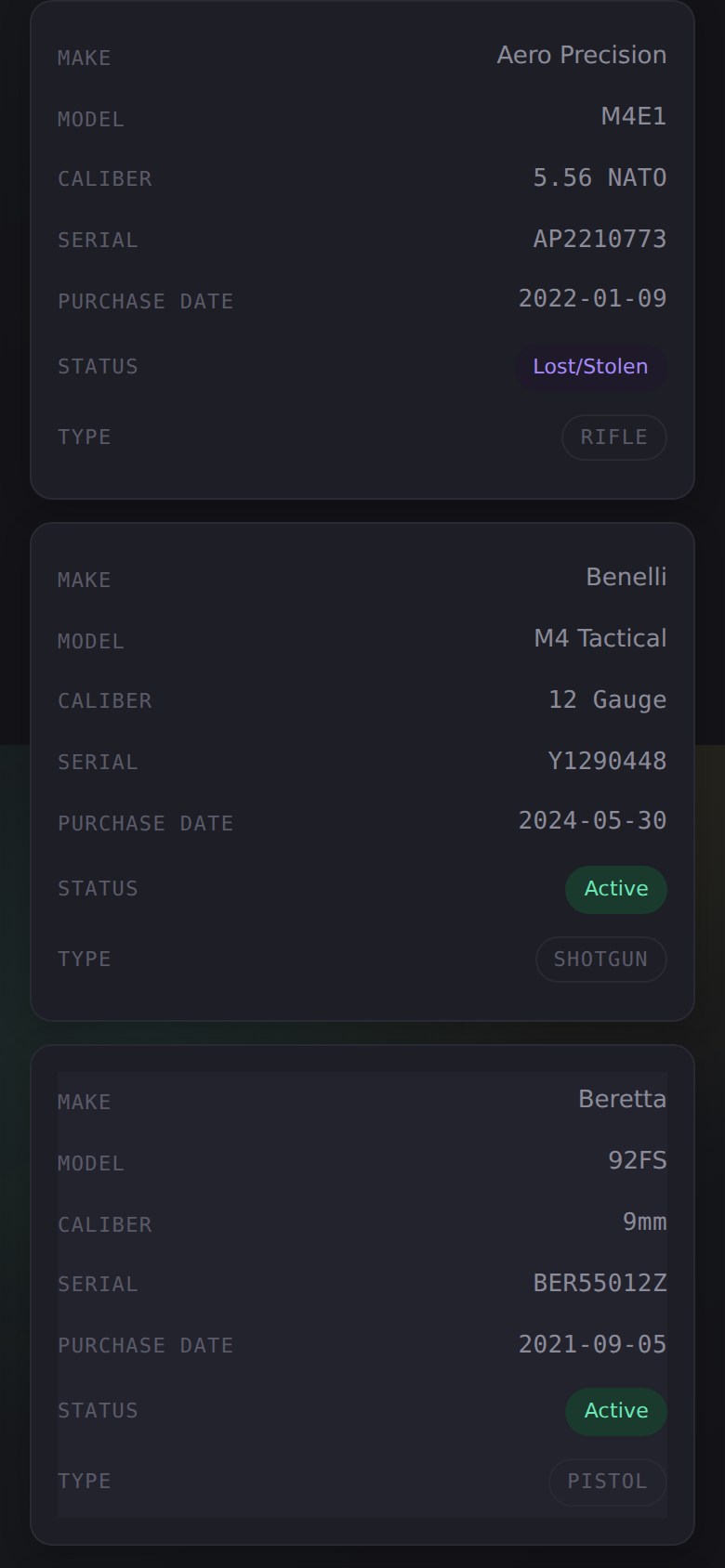
Pew Pew Collection firearm inventory on a mobile phone — table rows collapsed into a responsive card layout → MOBILE — Inventory collapses into a card layout.
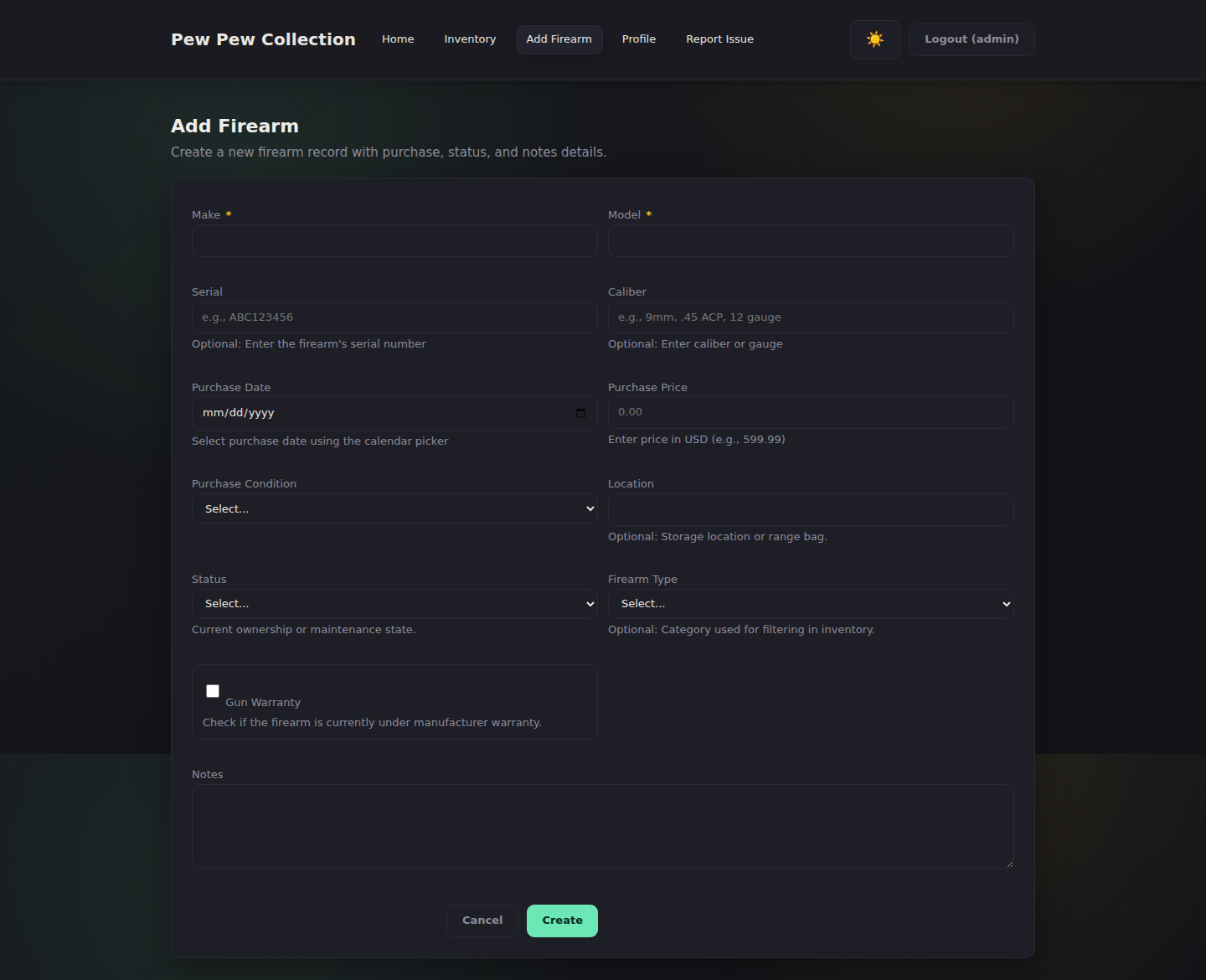
Pew Pew Collection add-firearm form — capture make, model, serial, caliber, purchase details, and notes → ADD FIREARM — Comprehensive detail capture.
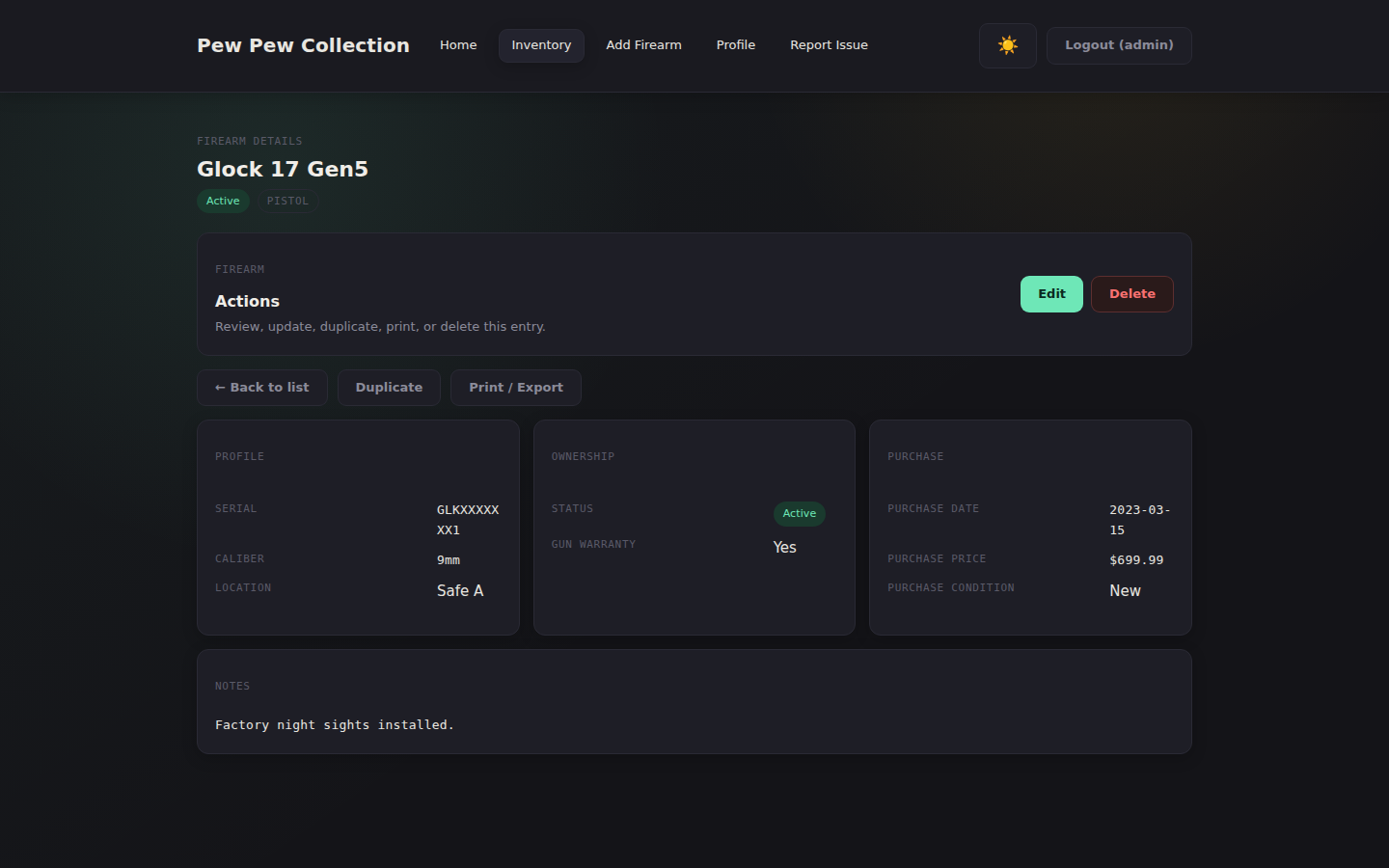
Pew Pew Collection firearm detail view — full record with edit, duplicate, and print actions → DETAIL VIEW — Full record with edit & delete.
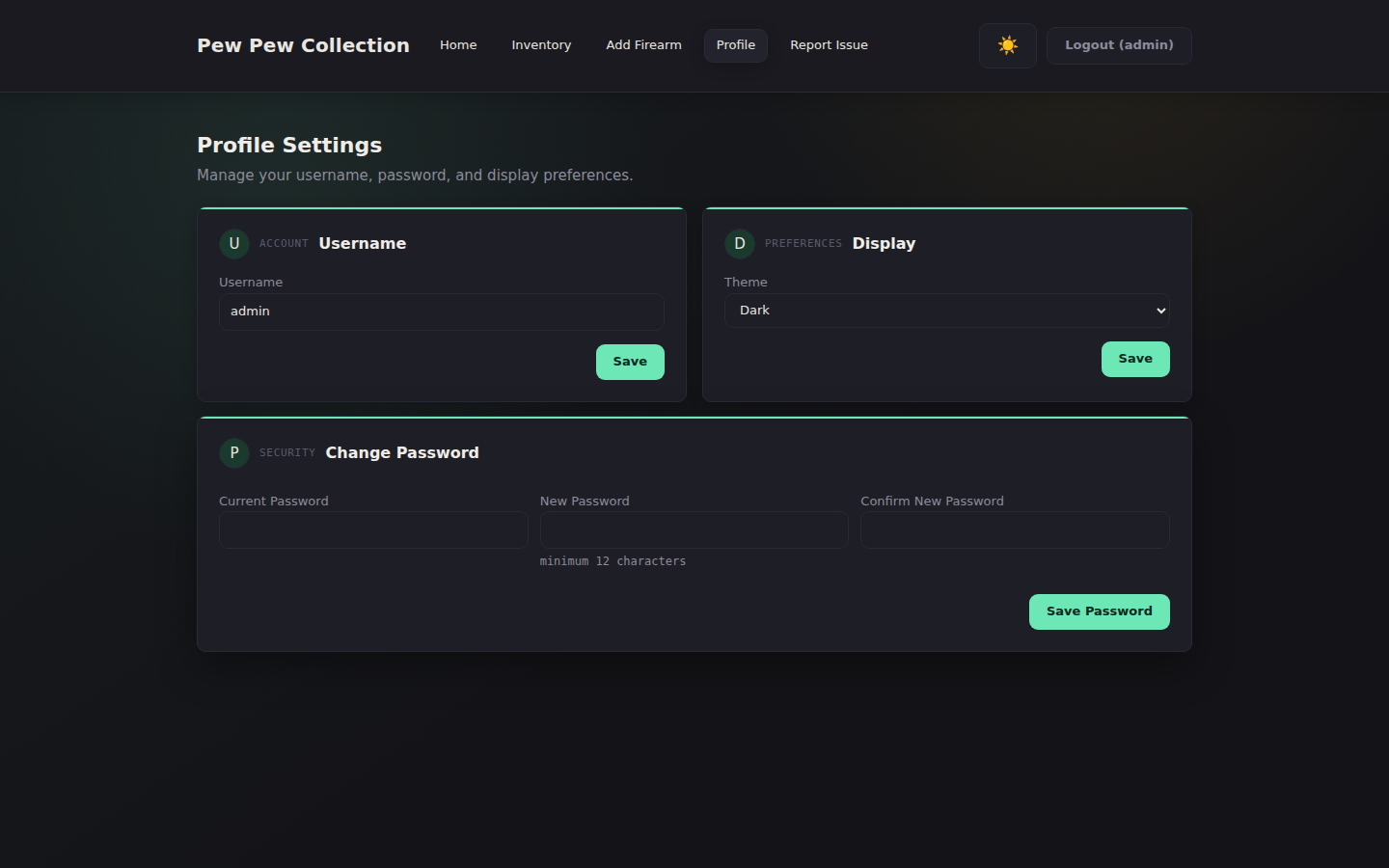
Pew Pew Collection profile settings — username, password, and dark/light theme preferences → PROFILE — Account, display preferences, and password management.
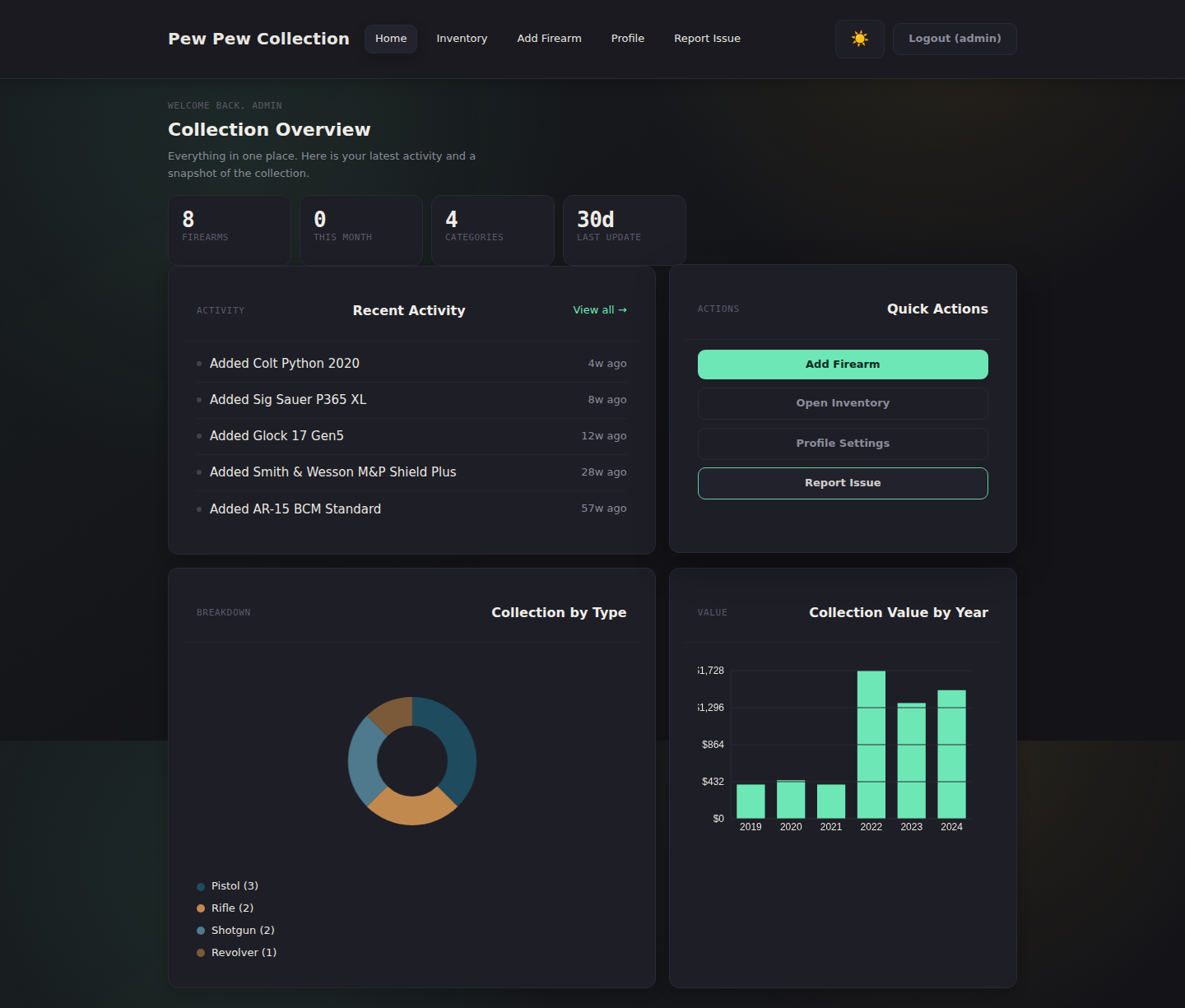
Pew Pew Collection dashboard — collection value chart, type breakdown, and recent activity feed → DASHBOARD — Activity feed, value chart, and type breakdown.
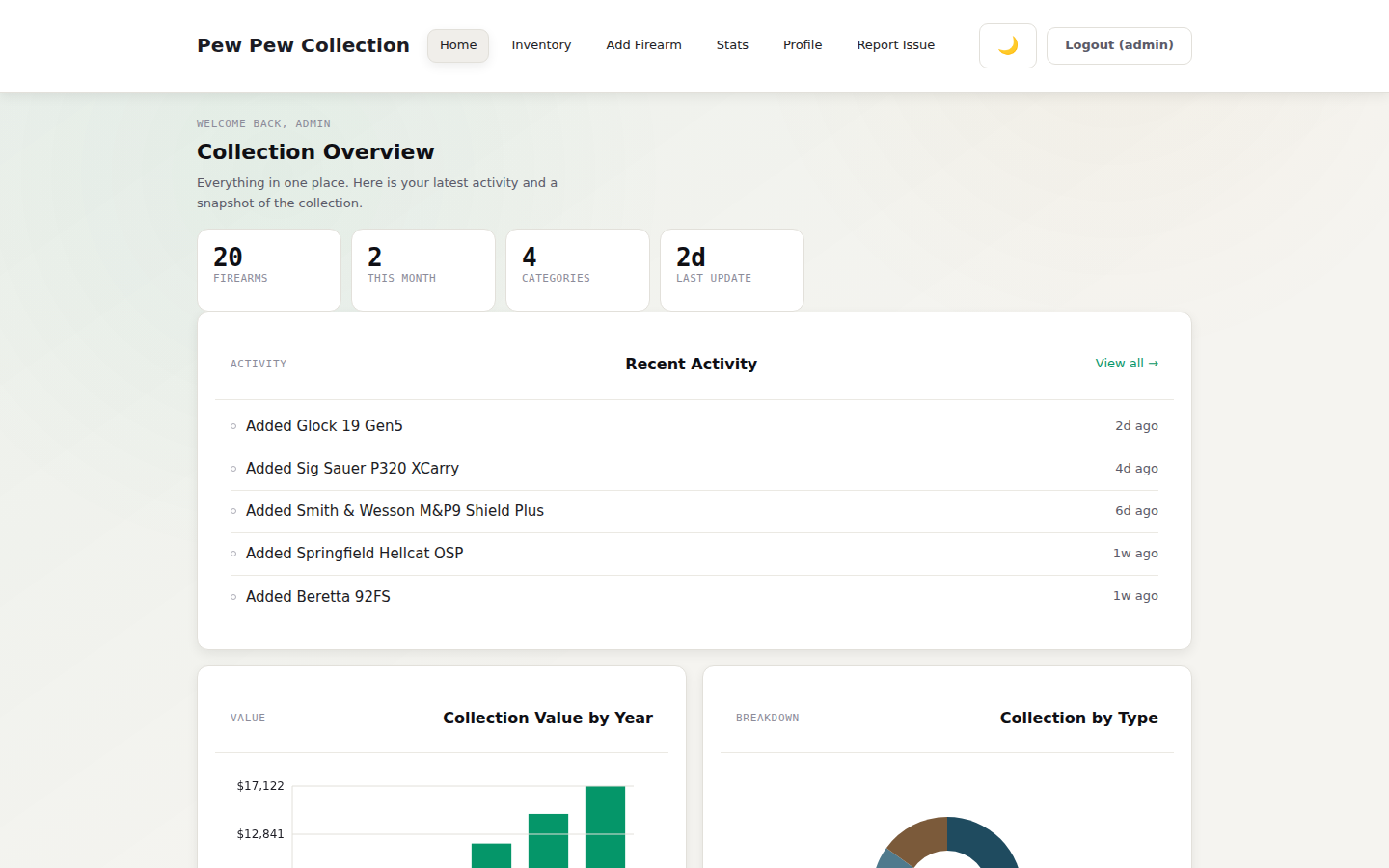
Pew Pew Collection dashboard in light mode — same collection value chart and type breakdown in a lighter palette → LIGHT MODE — Same app, lighter palette.
Pew Pew Collection analytics page — collection breakdown by type, caliber, make, and condition → STATS — Local analytics by type, caliber, make, condition, and trend.
Pew Pew Collection insurance report — printable firearm inventory with total purchase value for homeowners insurance documentation → INSURANCE REPORT — Print-ready inventory summary with total value.

Deploy

Up and running
in 60 seconds.

Docker Run
# Pull & run in one command
docker run -d \
  --name ppcollection \
  -p 3000:3000 \
  -v $(pwd)/data:/data \
  -e SESSION_SECRET=$(openssl rand -hex 32) \
  -e ADMIN_USERNAME=admin \
  -e ADMIN_PASSWORD=$(openssl rand -base64 24) \
  --restart unless-stopped \
  ghcr.io/gogorichielab/ppcollection:latest
Docker Compose
services:
  ppcollection:
    image: ghcr.io/gogorichielab/ppcollection:latest
    ports:
      - "3000:3000"
    volumes:
      - ./data:/data
    environment:
      SESSION_SECRET: your_strong_secret_here
      ADMIN_USERNAME: admin
      ADMIN_PASSWORD: your_strong_password_here
    restart: unless-stopped
01

Pull the image

Run the Docker command or compose file. The image is hosted on GitHub Container Registry — no Docker Hub account required.

02

Set your secrets

Generate a strong SESSION_SECRET with openssl rand -hex 32 and a strong ADMIN_PASSWORD with openssl rand -base64 24. Both are required in production — the app refuses to start with defaults.

03

Open & sign in

Navigate to http://localhost:3000 and sign in with ADMIN_USERNAME / ADMIN_PASSWORD. First login requires setting a new password.

04

Start cataloging

Add your first firearm. All data lives in a single app.db SQLite file — easy to back up, easy to restore.

05

Update safely

Always recreate the container with the same /data bind mount or named volume. If an update asks for the first-run password change again, stop and fix the mount before adding records.

→ Full configuration docs

Configuration

Environment variables

Variable Default Notes
SESSION_SECRET ppcollection_dev_secret Required in production — app refuses to start with the default. Generate with openssl rand -hex 32
ADMIN_USERNAME admin Username for the single admin account
ADMIN_PASSWORD changeme Required for first-run in production — app refuses to start with the default on a fresh install. Forced password change on first login. Generate with openssl rand -base64 24
PORT 3000 HTTP port the server listens on
DATABASE_PATH /data/app.db Path to the SQLite database file inside the container
DATA_DIR /data Allowed base directory for database files. DATABASE_PATH must resolve inside this directory.
TRUST_PROXY false Set to true when running behind an HTTPS reverse proxy (nginx, Caddy, Traefik). Required for secure cookies to work correctly.
SECURE_COOKIES true in production Enables the Secure flag on session and CSRF cookies. Defaults to true when NODE_ENV=production. Set SECURE_COOKIES=false if running on plain HTTP.
UPDATE_CHECK false Opt-in: check GitHub Releases for new versions (cached 14 days). Set to true to enable in-app notifications.
AUDIT_VERBOSE false When true, audit logs include username and serial metadata. Keep disabled for minimal sensitive logging.

Docker update data check

If an updated container looks like a new install, do not complete first-run setup yet. Confirm the container still mounts the original data directory:

docker inspect ppcollection --format '{{range .Mounts}}{{println .Source "->" .Destination}}{{end}}'
ls -lh ./data/app.db

For Compose, run updates from the same directory that owns ./data, or use an absolute bind mount such as /srv/ppcollection/data:/data. A changed mount gives the app a fresh /data/app.db, so it correctly behaves like a first-time install.

Questions

Answers before
you ask.

Is this ATF-reportable? Does it report my collection to anyone?

No. Pew Pew Collection runs entirely on your own hardware. It makes no outbound network connections at runtime, has no telemetry, and has no account system. Your data never leaves your machine.

Can my data be subpoenaed or seized?

The database is a single SQLite file on your disk. The same legal protections that apply to any other file you own apply here. This is a benefit of self-hosting versus cloud apps, where a subpoena can be served on the cloud provider without your knowledge.

What happens if my hard drive fails?

The entire database is one app.db file. Back it up with any regular file backup — Time Machine, rsync, restic, or a USB stick. Restoring is cp in reverse.

Why not just use a spreadsheet?

You can, and many collectors start there. The app adds enforced unique serial numbers, structured search and filtering, generated insurance reports with totals, disposition tracking (sold / lost / stolen), and a real schema that won't get accidentally re-sorted into the wrong rows.

Does this work without internet?

Yes. After the initial Docker pull, the app runs entirely offline. There is one opt-in feature (UPDATE_CHECK=true) that checks GitHub for new releases; it is off by default.

Is it really free? What's the catch?

Yes — licensed under the Business Source License 1.1; personal, non-commercial, self-hosted use is free with no catch. A future paid tier may add premium features, but everything currently shipped stays free. The license converts to Apache 2.0 on 2029-05-13.

How do I import my existing spreadsheet?

CSV import is built in. Match your columns to the field names listed in the import dialog and import in one click.

What about photos, receipts, or appraisals?

Photo attachments are on the roadmap. For now, store photos alongside your app.db backup and reference the filenames in the Notes field.

Compare

How it stacks up.

Pew Pew Collection isn't for everyone. Here's how it compares so you can decide.

Pew Pew Collection Spreadsheet Cloud apps
Data locationYour hardwareYour hardware (or Google Drive)Vendor's servers
Account requiredNoNo / YesYes
Insurance-ready report Built-in print PDFManualSometimes
Enforced unique serialsNoVaries
CSV import / exportN/AVaries, sometimes paywalled
Disposition tracking (sold / lost / stolen)ManualVaries
Search & filterLimited
Subscription cost$0$0Monthly or yearly
Source available BUSL-1.1N/ANo
OfflineNo

There are several reputable cloud-based firearm inventory apps, and if a hosted service with cross-device sync is what you want, one of them may suit you better. Pew Pew Collection makes the opposite trade: you keep the data and the control, and you run it yourself.

Source Available

Built in the open.
Owned by you.

Pew Pew Collection is free for personal self-hosted use, source-available, and welcomes contributions. Found a bug? Have a feature idea? Pull requests are warmly received.

★ Star on GitHub ↓ Download Release 🐛 Report an Issue